How to Sell on Instagram: From Post to DM to Checkout
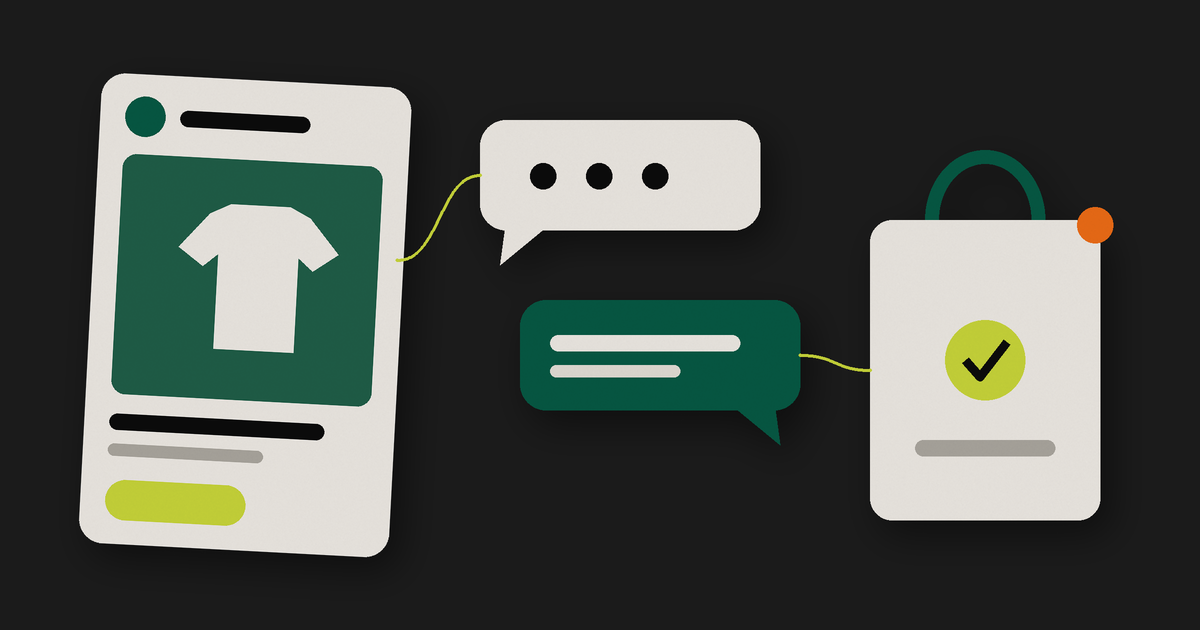
This guide is for small business owners who already post on Instagram and want those posts to turn into conversations and orders: a clothing boutique, a bakery, a fitness studio, a consultant. It also works for social media managers who run a client's business profile. The idea is a three-step path: post, DM and checkout.
One change shapes everything below. According to the Meta Business Help Center (2025), since September 2025 Shops on Facebook and Instagram use website checkout, so buyers finish the purchase on your own site.
Set up the account to sell
Three things come before any sales post.
- A professional account. Switch to a business account. Meta's shop features ask for one, and it opens the insights you will use later.
- A bio that says what you sell and for whom. "Handmade linen dresses for hot summers, shipping across the US" beats a slogan. Our Instagram bio ideas have examples by type of business.
- A link in bio with several pages. One link that opens a page with your catalog, your price list, your return policy and a way to message you. The link in bio page guide shows how to build one.
Instagram Shops and product tags in 2026
Many guides on how to sell products on Instagram still describe buying inside the app. That ended in September 2025. The Meta Business Help Center says a shop keeps its home page, collections and product pages, and that customers are now directed to your own website to complete the purchase. Payments, new orders, returns and disputes left Commerce Manager. Your site handles them now.
Who can have a shop and tag products
The Instagram Help Center lists where Shops and product tagging work. The full Shops experience is available only in the United States. Brazil, Mexico and 18 other countries are in an open beta, where Meta warns that "some sellers may not have full capabilities." A shop needs a supported country, so check the list before you plan around one.
Meta's commerce eligibility requirements ask for five things:
- Follow Meta's terms, Commerce Policies and Seller Agreement.
- List products that people can buy directly from your website, on one domain you declare (Meta may ask you to verify it).
- Be located in a supported country.
- Show an authentic, established presence, which may include a sufficient follower base.
- Show honest prices and availability, plus a visible return and refund policy.
What a shop and product tags give you
You create the shop in Commerce Manager, and it needs an Instagram business account in your business portfolio. To be visible, it needs a checkout URL from your site. The Instagram Help Center says the account review can take up to 4 weeks.
Once approved, you can tag products in new and older posts. According to the Meta Business Help Center, a photo post takes up to 20 product tags, and a carousel takes 20 tags in total across all its photos and videos. You need an eligible catalog in Commerce Manager, and every product goes through review under Meta's Commerce Policies. You also choose who can tag your products: everyone, only branded content partners, or no one, as the Instagram Help Center explains.
A tag is a storefront label. If you have no website, or you do not meet the requirements, you sell through the path in the rest of this guide: post, DM and link.
Posts that sell without sounding like ads
A sales post works when it answers the buyer's questions in order and then asks for one thing. A carousel does that well, because each slide carries one step.
Take a fictional shop, Juniper Linen, which sells handmade linen dresses from Austin. A carousel for its new summer dress could run like this:
- The problem. "Your favorite dress is too hot by noon."
- The product. The dress on a real person, in daylight, with the fabric up close.
- The details. Sizes, colors, price, shipping time.
- The proof. A photo of the stitching, or how the fabric looks after ten washes.
- The ask. "Comment SIZE and we'll send you the size guide and the link."
The last slide is where many sales posts go quiet. Our guide to the carousel last slide CTA covers how to write that ask.
A comment keyword ("comment PRICE", "comment SIZE") works as a call to action because it costs the buyer one word, and it tells you who is interested. Use one keyword per post, and repeat it in the caption.
Not every post should sell. Our suggestion, not an Instagram rule: alternate. Follow a sales post with a useful one, such as how to wash linen or how to pick a size, so the profile still gives people a reason to follow.
Move the conversation to DM
The keyword in the comment only works if someone answers. You can do it by hand, or set an automation that replies to the comment and sends a DM with the link or a file, such as a size guide. Our guide to Instagram comment-to-DM automation explains how it works.
The DM that matters most is the one that asks "how much?". Three habits help:
- Answer fast. The buyer is on the post right now. An answer the next day reaches someone who has moved on.
- Send the link, not only the price. A direct link to the product page or the catalog lets the buyer see photos, sizes and the checkout in one tap.
- Ask what is missing. "Is it the size, the shipping time or the color?" One question turns a price check into a conversation.
A short script you can adapt (our suggestion, not a template from Instagram):
> Hi Maya! The Juniper dress is $89, in sizes XS to XL. Here's the link with photos and the size guide: [link]. Is there anything you'd like to check before you order, like size or shipping time?
Close the sale
The purchase finishes outside Instagram: on your site, in a payment link, or in the channel you already use to take orders. The DM that closes the sale should carry everything the buyer needs to say yes:
- The direct product link, not the home page, so they land on the item they asked about.
- The delivery time, in days, for their location.
- The return and exchange policy, in one sentence with a link.
Keep the DM that closes the sale in the same thread as the first question. If they come back later, the full conversation is there.
Measure what sells
Likes say little about sales. Look at the numbers closer to the path:
- Website clicks and profile visits per post, which show who moved toward buying.
- Replies and DMs per post, which show who started a conversation.
- Comments with your keyword, counted by hand if needed.
Once a month, ask one question: which post started the most conversations? Make the next sales post look more like that one. Our Instagram Insights guide explains where each metric lives and what it means.
Where Zynta Flow fits
Zynta Flow covers the post, the DM and the link in bio. It does not create a shop or tag products. You do that on Instagram and in Commerce Manager.
- The post. Zynta Flow turns a topic into an on-brand carousel, with the ask on the last slide. It publishes and schedules images, carousels of 2 to 10 items, Reels and Stories to Instagram. Scheduling is free; publishing costs 5 credits per post per network.
- The DM. Instagram automations start from a keyword in a comment, a keyword in a DM, a story reply, a story mention or any DM. The DM can carry a link or a file: a PDF up to 25 MB, a PNG or JPEG up to 8 MB, or an MP4 up to 25 MB. Automations need an active plan or trial.
- The link in bio. Each brand gets public pages at
zyntaflow.com/bio/<handle>, with up to 30 buttons per page and up to 20 pages per brand. - The measurement. Insights shows views, interactions, profile visits, website clicks, replies and new followers for the account, plus reach, interactions, saves, shares and clicks for each post. Insights is open to every logged-in user.
The Instagram carousel maker page shows the carousel side in more detail.
Frequently asked questions
Can I sell on Instagram without a website?
Yes. Without a website you cannot have an Instagram shop, because Meta requires products for sale on your own site. You can still sell through posts, DMs and a payment link or the channel you already use to take orders.
Can people still buy inside Instagram?
No. Since September 2025, Shops on Facebook and Instagram use website checkout, according to the Meta Business Help Center. Buyers tap a product and finish the purchase on your site.
Do Instagram Shops work outside the US?
The full Shops experience is US only. Brazil, Mexico and 18 other countries are in an open beta, and Meta warns that some sellers may not have every feature. Check Commerce Manager to see what your account has.
How many products can I tag in an Instagram post?
Up to 20 products in a photo post. A carousel takes 20 tags in total across all its photos and videos, according to the Meta Business Help Center.
How long does Meta take to approve a shop?
The Instagram Help Center says the account review can take up to 4 weeks. Your shop also needs a checkout URL from your website to be visible.
Can I sell services or digital products on Instagram?
The post, DM and link path works for any offer: a consultation, a class, a template. Write the post about the problem you solve, answer questions in DMs, and send the booking or payment link to close.
Put this into practice
Zynta Flow turns a topic into a finished, on-brand carousel in minutes and schedules it to Instagram and LinkedIn. Try it free for 30 days with 350 credits, no card required.
Start your free 30-day trial